Minecraft isn’t just a game it’s a global phenomenon that has captivated millions with its endless creativity and adventure. Originally launched by Mojang in 2009, it exploded in popularity, leading to Microsoft’s acquisition in 2014. Today, the Minecraft app for Android brings this blocky universe right to your pocket, turning downtime into epic builds or heart-pounding survival sessions. Available on the Google Play Store for a one-time purchase of about $6.99 (prices may vary by region), it’s one of the best-selling mobile games ever, with over 100 million downloads. Whether you’re a newbie stacking your first dirt hut or a veteran Redstone engineer, the Android version delivers the full experience with touch-optimized controls.
Why Minecraft Shines on Android
The Android port of Minecraft is no watered-down mobile clone. It mirrors the Java and Bedrock editions’ core gameplay: an open-world sandbox where you mine resources, craft tools, and shape the world to your whims. Generate massive landscapes filled with biomes like lush forests, arid deserts, and treacherous oceans. Day turns to night, spawning zombies, creepers, and skeletons that force you to fight or flee.
Minecraft APP Download
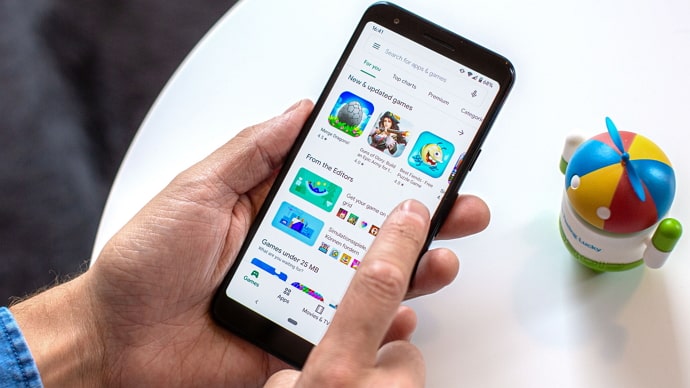
Looking for Minecraft APK? The official Minecraft APP Download for Android delivers the full block-building experience straight from the Google Play Store, packed with survival modes, creative freedom, and cross-platform multiplayer. Avoid shady third-party APKs—they often bundle malware, lack updates, and risk bans from servers. Stick to the legit $6.99 download for safe, optimized play on devices running Android 5.0+. Regular updates keep it fresh with new biomes and features into 2026.
Related Posts:
Key features make it Android-perfect:
- Cross-Platform Play: Join Realms or public servers with friends on PC, Xbox, PlayStation, or iOS via the Bedrock Edition. No more solo adventures—build castles collaboratively.
- Marketplace Content: Download free or paid skins, texture packs, worlds, and mash-ups from the in-game store. Themes range from Star Wars to Stranger Things, adding fresh twists without modding hassles.
- Touch Controls: Swipe to mine, double-tap to place blocks, and pinch to zoom. It’s intuitive, though pairing a Bluetooth controller elevates precision for complex builds.
- Performance Tweaks: Runs smoothly on mid-range devices (Android 5.0+ required, 1GB RAM minimum). Graphics settings scale from chunky voxels to ray-traced wonders on high-end phones like the Samsung Galaxy S series.
Recent updates, like the 2025 “Vibrant Visuals” patch, introduced enhanced lighting and new mob variants, keeping the game fresh. It’s offline-friendly too—play single-player worlds anywhere, then sync to the cloud later.
Gameplay Modes: From Creative Freedom to Hardcore Survival
Minecraft’s magic lies in its modes. Creative lets you fly, have infinite resources, and god-mode through builds. Erect sprawling cities or pixel art masterpieces without limits. Survival ramps up the challenge: punch trees for wood, craft a pickaxe, and delve into caves for diamonds while dodging lava and Endermen.
Android-exclusive perks include Pocket Edition optimizations, like split-screen multiplayer on tablets for local co-op. Explore the Nether’s hellish fortresses or conquer the End dimension’s dragon boss. Add-ons from the Marketplace introduce dragons, magic spells, or even horror maps for Halloween thrills.
Pro Tip: Use the recipe book (tap the crafting table) to learn recipes on the fly—no more memorizing that awkward sword pattern.
Tips for Android Mastery
Getting started? Here’s how to thrive:
- Resource Smarts: Always carry a bed to skip nights and torches to light caves—mobs spawn in darkness.
- Efficiency Hacks: Enchant tools at an enchanting table for Fortune (more drops) or Efficiency (faster mining). Trade with villagers for emeralds.
- Redstone Basics: Build automatic farms with hoppers and dispensers. Android’s UI makes wiring simple with drag-and-drop.
- Battery Savers: Lower render distance on long sessions; the game sips power compared to AAA titles.
- Community Boost: Join Discord servers or Reddit’s r/Minecraft for blueprints and challenges.
For families, parental controls limit chat and purchases. It’s educational too—kids learn geometry building pyramids or chemistry mixing potions.
Is It Worth Buying in 2026?
Absolutely. Minecraft for Android has evolved far beyond its 2011 Pocket Edition roots. Regular free updates (expect bi-annual “Snapshots” for testing features) ensure longevity. Criticisms? The base price plus Marketplace microtransactions can add up, and storage-hungry worlds need cloud backups. Still, at under $7, it’s a steal for infinite replayability.
Compared to clones like Block Craft 3D, official Minecraft wins with depth and official support. Sales hit 300 million copies last year, proving its staying power.
Grab it, punch a tree, and let your imagination run wild. Your phone just became a portal to infinite worlds.